 California Accident Attorneys Blog


Tesla has issued dozens of recalls over the past several years, covering everything from faulty Autopilot software to door latch malfunctions. If you own or lease a Tesla, running a tesla recall lookup is one of the simplest ways to find out whether your vehicle has an unresolved safety defect that could put you and your passengers at risk.
The process takes about two minutes and requires only your Vehicle Identification Number (VIN). Yet many Tesla owners don’t realize a recall exists on their car until something goes wrong, sometimes after an accident has already happened. Unaddressed recalls are a known factor in serious collisions, and at Steven M. Sweat, Personal Injury Lawyers, APC, we’ve seen firsthand how defective vehicle components cause life-changing injuries on Los Angeles roads and throughout California.
This guide walks you through exactly how to check your Tesla for open recalls, what to do if your vehicle is affected, and how recall status can matter if you’ve already been hurt in a crash. Whether you drive a Model 3, Model Y, Model S, or Cybertruck, staying ahead of recall notices is a critical step in protecting yourself and your family.
What a Tesla recall lookup tells you
A recall lookup does more than confirm whether a repair is needed. Each federal recall record contains specific technical data about the defect, the remedy Tesla must provide at no charge, and whether your individual VIN has already been repaired. You get a clear, factual snapshot of your vehicle’s safety status in one place, which you can use when speaking to a service center, an insurance adjuster, or a personal injury attorney.
The data fields in a recall record
When you run a tesla recall lookup through the National Highway Traffic Safety Administration (NHTSA) or Tesla’s owner portal, several distinct fields appear for every open recall. Understanding what each field means helps you take direct action instead of setting the information aside.
| Field | What it tells you |
|---|---|
| Recall number | The unique NHTSA campaign ID for this specific defect |
| Component | The part or system affected, such as brakes, steering, or software |
| Defect description | A plain-language summary of what can go wrong |
| Consequence | The potential safety risk, which may include crash or fire risk |
| Remedy | What Tesla must do to correct the problem free of charge |
| VIN status | Whether your specific vehicle is included and if the repair is complete |
The VIN status field is the most critical piece of information: a record showing “remedy not yet provided” means your car still carries the defect.
Why recall status matters before and after a crash
Knowing your recall status before a crash is straightforward prevention. An open recall on a safety-critical system, such as a steering control module, a brake assist feature, or an Autopilot component, raises your collision risk every time you drive. Checking and then scheduling the repair removes that documented hazard before it causes real harm to you, your passengers, or other drivers on the road.
After a crash, recall status becomes key evidence in a personal injury or product liability claim. If your Tesla carried an unrepaired defect at the time of an accident, that record can establish a direct link between the manufacturer’s failure and the injuries you suffered. California law allows injured drivers and passengers to pursue claims against both at-fault drivers and negligent manufacturers, and a documented open recall gives your legal team a concrete, verifiable starting point when building your case.
Step 1. Find your Tesla VIN fast
Before you run a tesla recall lookup, you need your 17-character VIN on hand. Tesla stores your VIN in multiple locations, so locating it takes under a minute regardless of whether you have physical access to the car right now.
Where to find your VIN on the vehicle
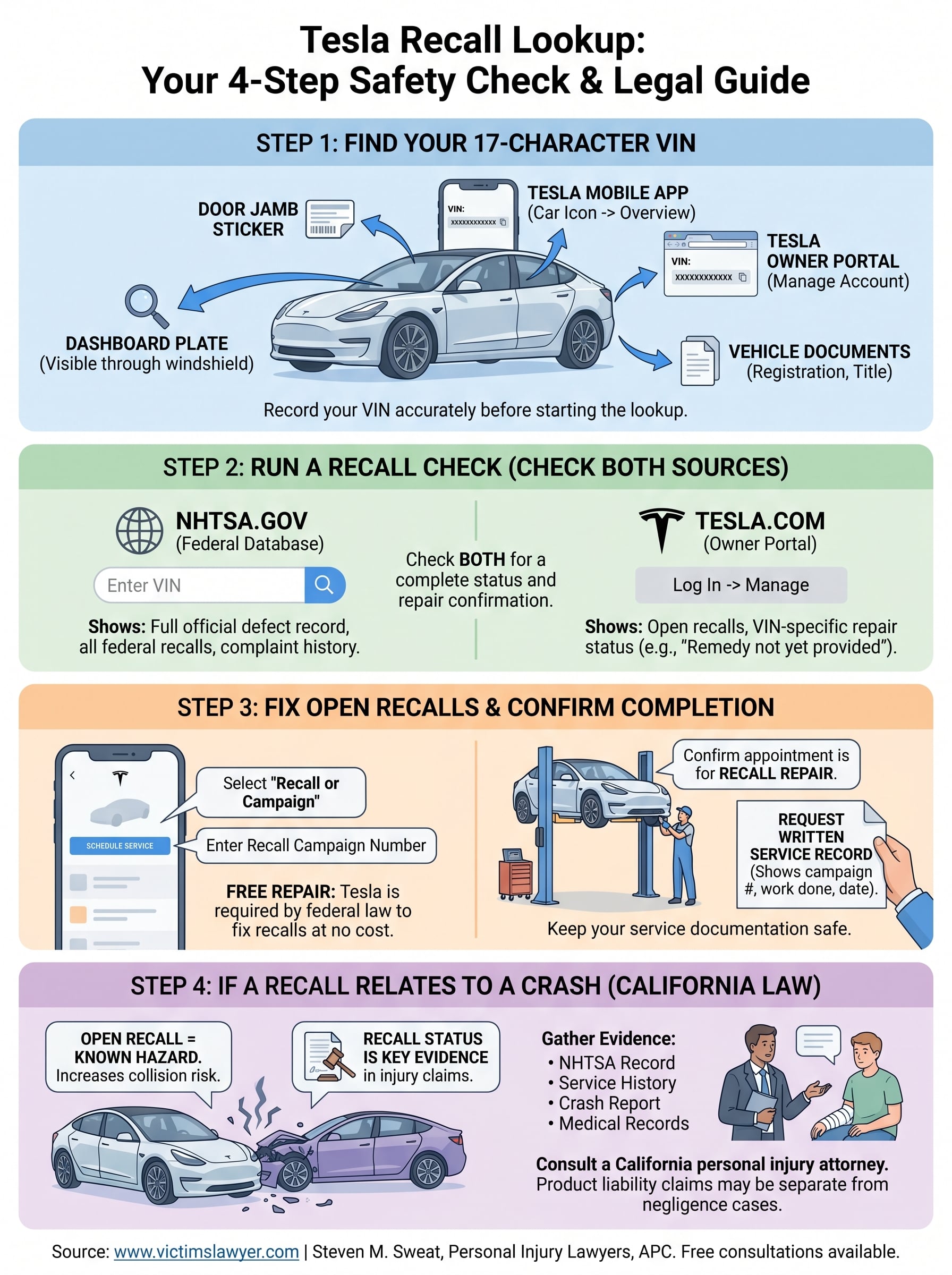
Your Tesla displays the VIN in two physical locations you can check without any tools. The dashboard is the fastest spot: look through the windshield at the lower corner on the driver’s side, where a small metal plate shows the full 17-character number. A second copy appears on the door jamb sticker on the driver’s side door, which also lists tire pressure ratings and other factory data.
Here are all the places you can find your Tesla VIN:
- Dashboard plate: visible through the windshield, lower driver’s side corner
- Driver’s door jamb sticker: attached to the door frame alongside factory specs
- Tesla mobile app: listed on the main vehicle overview screen
- Tesla owner portal: shown under “Manage” after you log in at tesla.com
- Vehicle registration and title: the VIN appears on all official ownership documents
Write down or photograph your VIN before starting the lookup so you can paste it accurately into each tool without transcription errors.
How to pull your VIN from the Tesla app
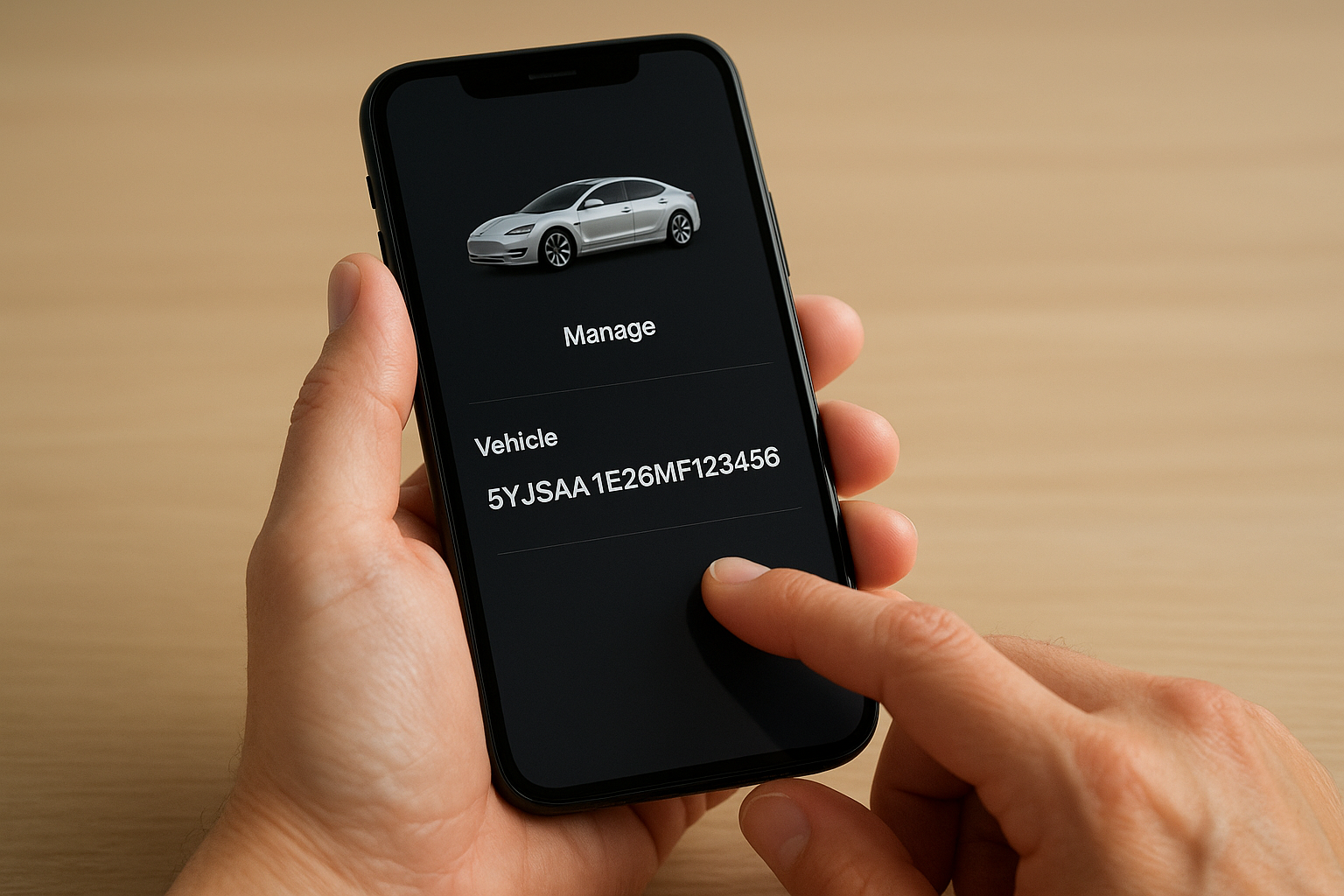
If you don’t have the car nearby, open the Tesla mobile app and tap the car icon at the bottom of the screen. Your full VIN appears directly on the vehicle overview page. Your Tesla account at tesla.com shows the same data: log in, go to “Manage” under your registered vehicle, and the VIN sits at the top of the page. Both digital sources let you copy the number directly, which eliminates manual entry mistakes when you move to the next step.
Step 2. Run a recall check on Tesla and NHTSA
With your VIN ready, you can run a tesla recall lookup through two separate channels: NHTSA’s federal database and Tesla’s own owner portal. Checking both sources gives you a complete picture, because Tesla’s portal shows repair completion status while NHTSA carries the full official defect record and any complaints filed by other owners.
Use the NHTSA VIN lookup tool
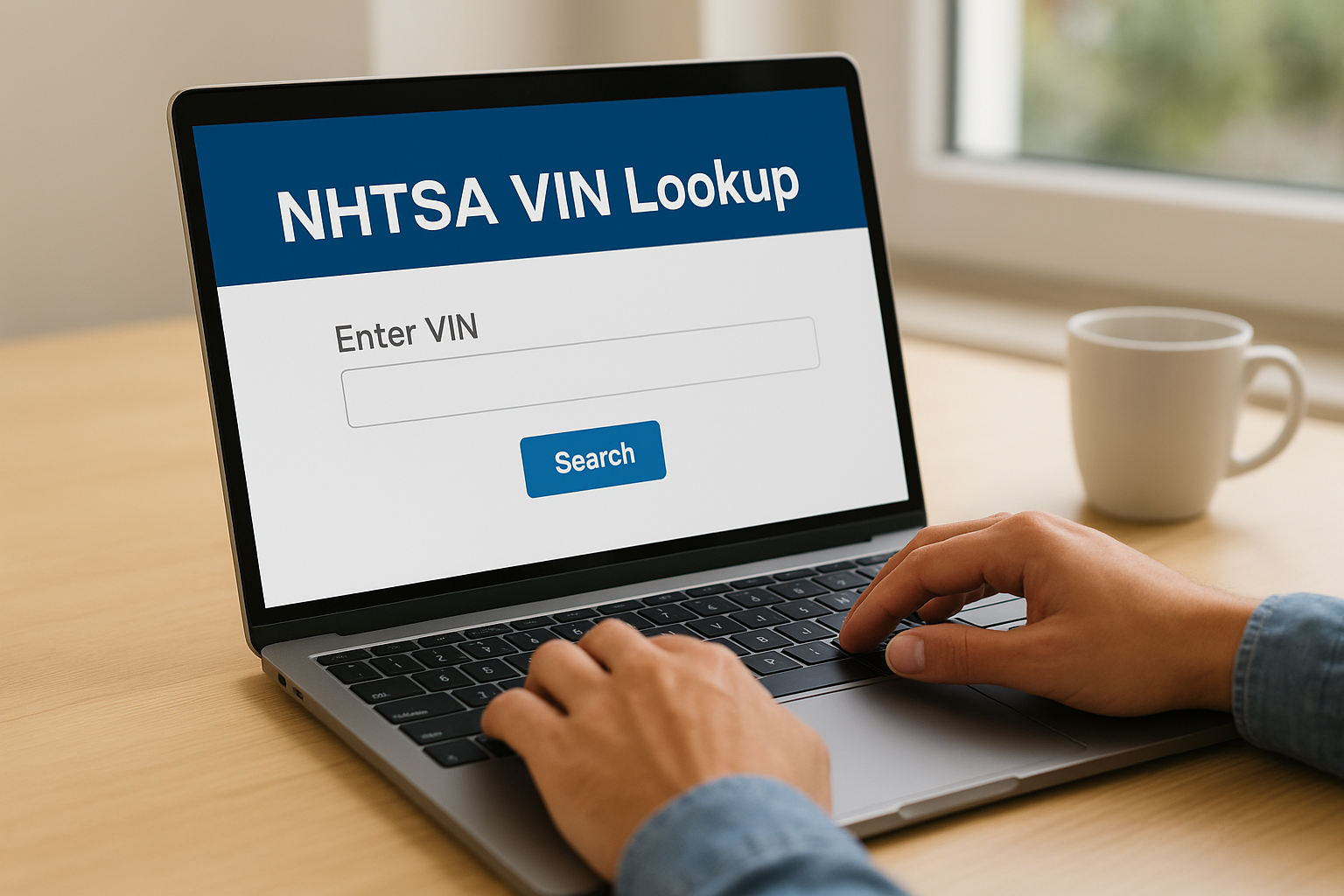
Go to nhtsa.gov and enter your 17-character VIN into the search field. NHTSA’s database pulls every federal recall tied to your specific vehicle and displays each campaign with the defect description, the affected component, and the required remedy. If the results show open campaigns, record the recall number for each one, since you will need those numbers when you contact Tesla service.
NHTSA’s recall data is federal law, which means Tesla must repair every listed defect at no cost to you.
Check your Tesla owner account
Log in at tesla.com and navigate to “Manage” under your registered vehicle. Tesla’s portal displays the same open recalls but adds a VIN-level repair status that NHTSA does not always carry. You will see one of two status labels for each campaign:
| Status label | What it means |
|---|---|
| Remedy not yet provided | The defect is unrepaired and your vehicle is still affected |
| Remedy provided | Tesla has completed the repair on your specific VIN |
Both checks together take roughly two minutes total and confirm whether any safety defect remains active on your Tesla right now.
Step 3. Fix open recalls and confirm completion
Once your tesla recall lookup confirms an open defect, the repair process is straightforward. Tesla handles recall fixes at no cost to you, whether the remedy is a physical part replacement or an over-the-air software update pushed directly to your vehicle.
Schedule your Tesla service appointment
Contact Tesla Service through the Tesla mobile app to book a recall repair. Open the app, tap “Service,” select “Schedule Service,” and choose “Recall or Campaign” as the service type. Enter the recall campaign number you recorded during your lookup so the technician arrives prepared with the correct parts or update package. Tesla also allows you to schedule through the owner portal at tesla.com if you prefer a desktop browser.
Tesla is required by federal law to complete recall repairs at zero cost to you, regardless of your vehicle’s warranty status or mileage.
When you arrive at the service center, confirm verbally with the service advisor that the appointment is specifically for a recall repair, not a general maintenance visit. This ensures the work order reflects the correct campaign number from the start.
Confirm the repair is documented
After the repair, request a written service record that lists the recall campaign number, the work performed, and the completion date. Tesla’s app typically updates your VIN status to “Remedy provided” within a few business days, but the paper record gives you immediate proof.
Keep your service documentation in a safe place alongside your registration and insurance cards. If you ever sell the vehicle, trade it in, or need to demonstrate the repair history during a legal claim, that written record is the clearest evidence that the defect was corrected on a specific date.
Step 4. If a recall relates to a crash in California
If your tesla recall lookup reveals an open defect and you have already been in a crash, that recall record becomes direct evidence in a personal injury or product liability claim. California law allows injured drivers, passengers, and pedestrians to pursue compensation from both negligent drivers and vehicle manufacturers when a documented defect contributed to the collision.
Connecting the recall to your injury claim
Two facts matter most to an attorney reviewing your case: when the recall was issued and whether Tesla had repaired your specific VIN before the crash occurred. If Tesla notified you of a defect and the repair was never completed, you have a documented chain of events linking the manufacturer’s failure to your injury. If the recall was issued after your crash but covers a component that failed during the collision, your attorney can argue the defect existed before the formal announcement.
Gather and preserve the following documents immediately:
- Your NHTSA recall record showing the campaign number, defect description, and VIN status
- Your Tesla service history showing whether the recall repair was ever scheduled or completed
- The crash report from law enforcement listing the date, location, and contributing factors
- Medical records connecting your diagnosed injuries to the collision
Reach out to a California personal injury attorney
A recall-related crash can involve claims against Tesla under product liability law, completely separate from any standard auto accident case. Acting quickly matters because evidence degrades and strict legal deadlines apply in California. The attorneys at Steven M. Sweat, Personal Injury Lawyers, APC offer free consultations and can evaluate whether an open recall strengthens your claim against a negligent driver, Tesla, or both.
If a defective component contributed to your crash, you may have grounds for a product liability claim in addition to a standard negligence case.
Next steps after your recall check
Running a tesla recall lookup takes two minutes and gives you a clear picture of your vehicle’s safety status. If your search shows open recalls, schedule the service appointment immediately through the Tesla app and keep the written repair record once the work is complete.
If a defect contributed to a crash you were already involved in, your next step is legal, not mechanical. California personal injury law allows you to pursue compensation from negligent drivers and vehicle manufacturers when a documented defect played a role in the collision. Gathering your NHTSA record, Tesla service history, and medical records now protects your ability to make that claim before deadlines pass.
The attorneys at Steven M. Sweat, Personal Injury Lawyers, APC handle recall-related injury cases throughout California at no upfront cost to you. Contact us for a free consultation and find out whether an open recall strengthens your case.