 California Accident Attorneys Blog


Every year, millions of Ford vehicles are affected by safety recalls, everything from faulty ignition switches to defective airbag inflators that can turn a routine drive into a catastrophe. A ford recall lookup takes less than two minutes, but skipping it can put you and your passengers at serious risk. Unrepaired recalls remain one of the most preventable causes of auto accidents on California roads and across the country.
At Steven M. Sweat, Personal Injury Lawyers, APC, we’ve spent over 25 years representing people in Los Angeles and throughout California who were injured because of defective vehicle components, including parts that were already under recall. We’ve seen firsthand what happens when drivers don’t know about an open recall on their car or truck, and when manufacturers fail to get the word out quickly enough. These cases often result in life-altering injuries that could have been avoided entirely.
This guide walks you through exactly how to check your Ford for open recalls using your VIN, what to do if your vehicle is affected, and how to get repairs completed at no cost to you. We’ll also cover what your legal options look like if a recalled defect contributed to an accident or injury. Whether you drive a 2024 F-150 or a 2015 Escape, staying on top of active recalls is one of the simplest things you can do to protect yourself and everyone in your vehicle.
What you need for a Ford recall lookup
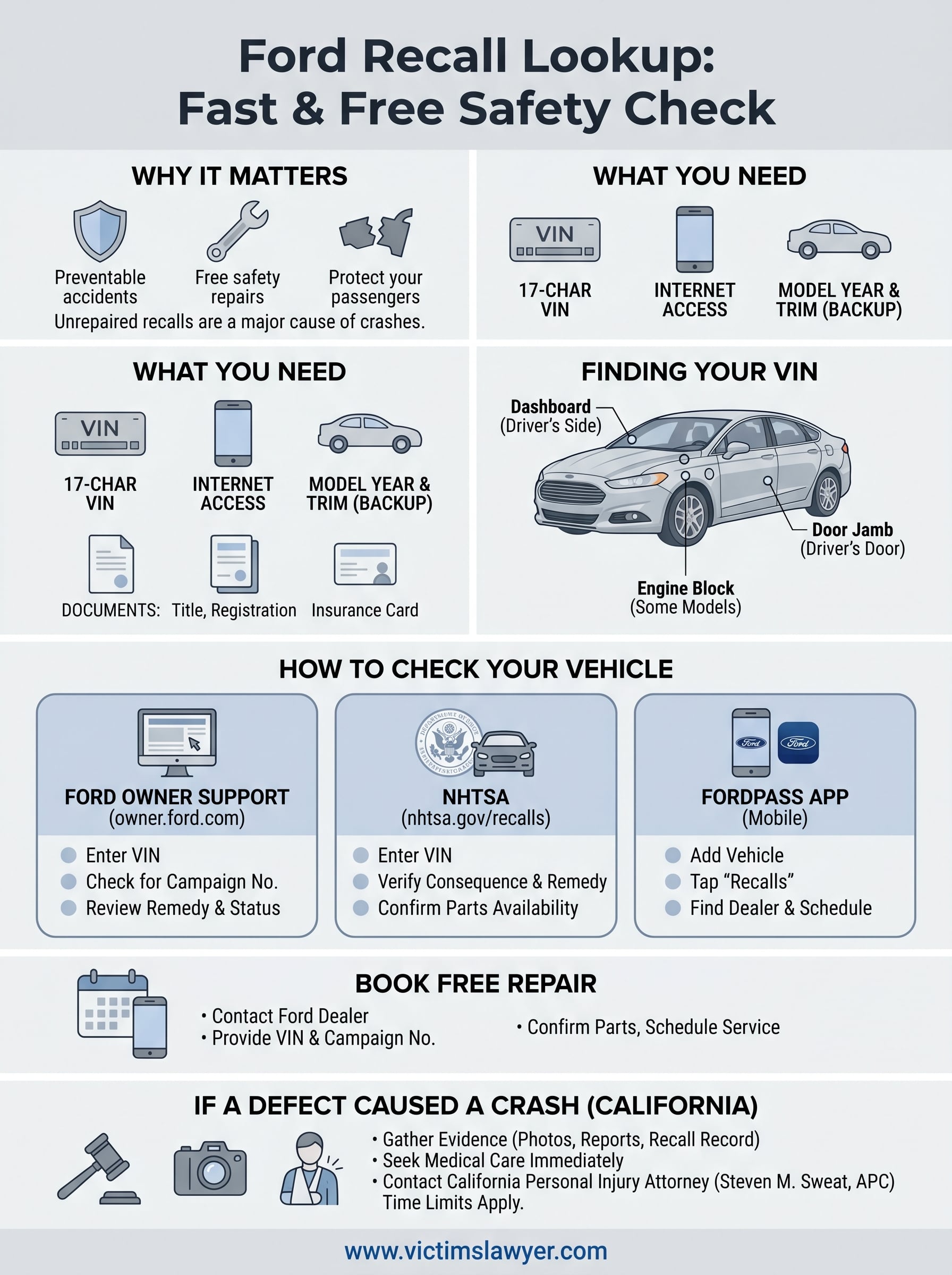
Before you start the actual lookup, take 60 seconds to gather a few items. Running a ford recall lookup is completely free and straightforward, but having the right information in front of you means you won’t get stuck halfway through the process. Three core items cover the vast majority of lookup methods: your VIN, a connected device, and some basic vehicle information as a backup if the VIN is unavailable or difficult to read.
Your vehicle identification number (VIN)
Your VIN is the single most important piece of data for checking recalls. Every Ford vehicle manufactured since 1981 carries a unique 17-character VIN that ties directly to your vehicle’s production records, recall history, and repair status. No two VINs are identical, which means a recall search using your VIN returns results for your exact car or truck, not just the model in general.
Your VIN is your vehicle’s fingerprint. A search by model year alone can show you recalls that exist for a line of vehicles, but only a VIN-based search confirms whether your specific vehicle is included and whether the repair has already been completed.
Ford VINs follow a standardized structure. Here is what each section of the number tells you:
| VIN Position | Characters | What It Represents |
|---|---|---|
| 1-3 | World Manufacturer Identifier | Country of manufacture and automaker (e.g., 1FA = Ford USA) |
| 4-8 | Vehicle descriptor | Model, body type, restraint system, engine type |
| 9 | Check digit | Validity verification character |
| 10 | Model year | Letter or number identifying the production year |
| 11 | Plant code | Assembly plant where Ford built your vehicle |
| 12-17 | Production sequence | Unique serial number specific to your unit |
You can find your VIN in several places without needing any tools:
- Driver’s side dashboard: Look through the windshield at the lower corner on the driver’s side. The VIN appears on a small metal plate.
- Driver’s door jamb: Open the driver’s door and check the sticker on the door frame or the B-pillar.
- Vehicle title and registration: Both state-issued documents list the full VIN.
- Insurance card: Most auto insurance cards include the VIN next to the vehicle description.
- Engine block: On some Ford models, the VIN is stamped directly onto the engine.
A device with internet access
You need a smartphone, tablet, or computer to run an online recall search. Both the NHTSA recall database and the Ford Owner portal are mobile-friendly, so you can pull up the lookup from your driveway while standing next to the car. A stable connection matters because these tools load full recall descriptions, remedy instructions, and dealer contact information that can be detail-heavy.
Without reliable internet at home, public libraries and many auto parts retailers offer free Wi-Fi that works perfectly for this. Neither Ford’s lookup tool nor NHTSA’s database requires you to create an account to run a basic VIN search, so you can complete the entire process in a few minutes without registering anywhere.
Basic vehicle information as a backup
Sometimes a VIN plate is physically worn, scratched, or difficult to read clearly. In those cases, your model year, exact trim level, and the approximate date you purchased or registered the vehicle can still help narrow down open recalls on both platforms. Neither Ford nor NHTSA forces you to enter a VIN exclusively; both tools allow searches by year and model as an alternative.
Keep your registration document and insurance card somewhere accessible before you begin. These two items together cover nearly every piece of information either lookup tool might ask you to provide.
Step 1. Find your VIN fast
Your VIN is the starting point for any ford recall lookup, and locating it takes less than a minute once you know where Ford places it. Every Ford vehicle built since 1981 carries a unique 17-character VIN stamped or printed in multiple locations, so even if one spot is worn or covered, you have several backup options to pull the number without any tools.
Where your VIN appears on the vehicle
Ford places your VIN in predictable spots on the vehicle itself. The most reliable location is the driver’s side dashboard plate, visible through the windshield at the lower left corner on the driver’s side. You can read it from outside the car without opening a door, which makes it the fastest option in a parking lot or driveway.
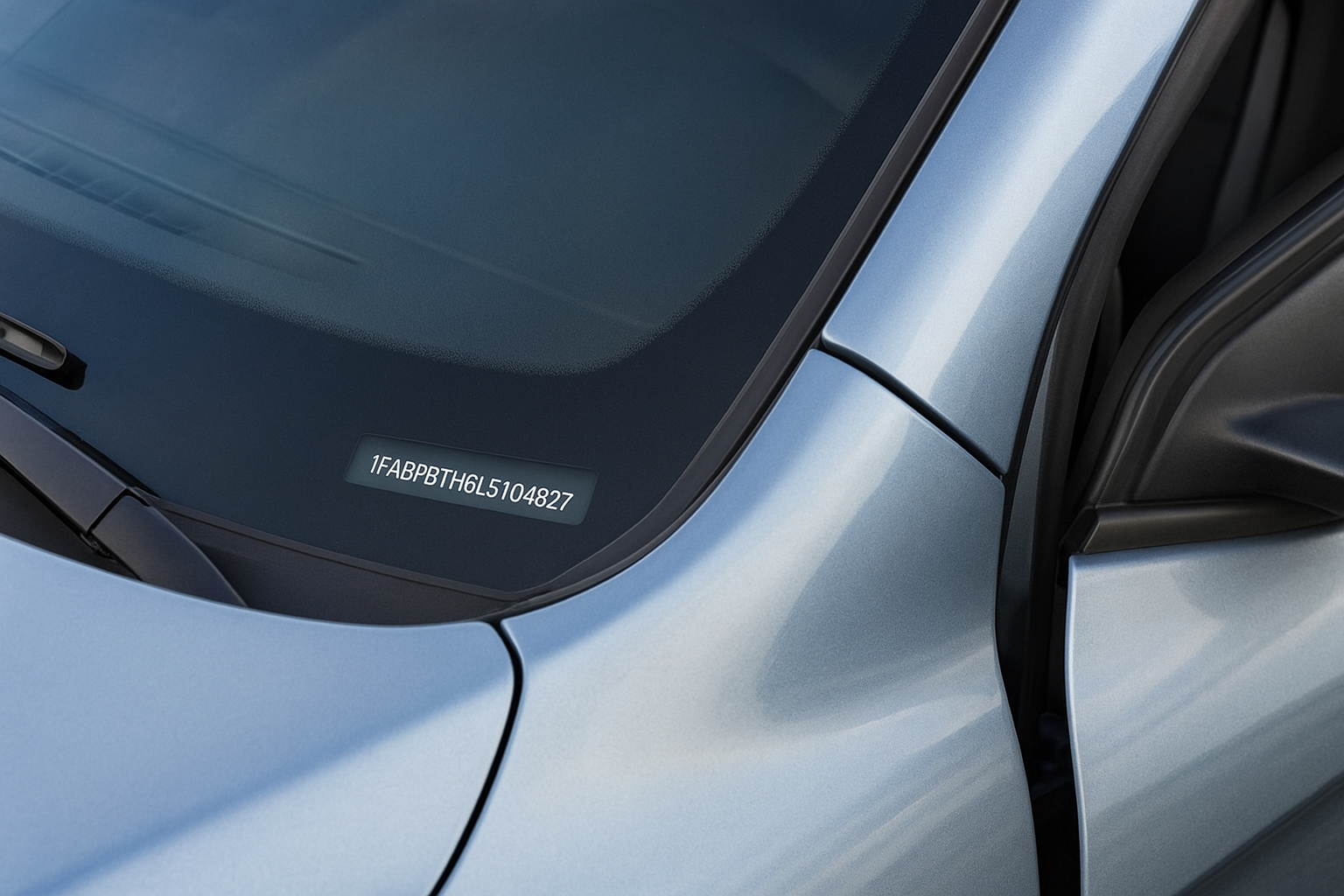
If the dashboard plate is scratched or sun-faded, check the driver’s door jamb next. Ford stamps or stickers the VIN onto the B-pillar or door frame, and that surface is generally better protected from direct weather exposure than the dashboard plate.
Here are the physical locations to check on your Ford:
- Driver’s side dashboard plate: Visible through the windshield at the lower left corner
- Driver’s door jamb sticker: On the door frame or B-pillar when you open the driver’s door
- Engine block: Stamped directly on the block on select Ford models, typically near the firewall
Where your VIN appears on your documents
Your vehicle registration certificate and title both list the full VIN in a clearly labeled field near the top of the document. Pull either one from your glove box and you can copy the number directly into any lookup tool without going near the vehicle at all. Your insurance card works just as fast because most auto insurers print the VIN alongside the year, make, and model.
If you manage your policy through an online account, log in and open your vehicle profile. The VIN appears in the vehicle details section of nearly every major insurer’s portal, which is especially useful when your vehicle is already at a shop. For a quick reference, here is where each source keeps the number:
| Source | Where to Look |
|---|---|
| Vehicle | Dashboard plate, door jamb, engine block |
| Title or registration | Labeled VIN field near top of document |
| Insurance card | Printed next to vehicle description |
| Online insurer portal | Vehicle profile or policy details page |
Step 2. Check Ford recalls on Ford Owner Support
Ford’s owner portal at owner.ford.com is the first place to run a ford recall lookup because it pulls directly from Ford’s internal production database. The results reflect your exact vehicle’s build records and show whether a recall remedy has already been completed at a dealer. The tool is completely free and requires no account login for a basic VIN search, so you can complete the entire check from any browser on your phone or computer without signing up for anything.
Navigate to the Ford Owner Support recall page
Go to owner.ford.com on your device and look for the “Recall and Safety Alerts” section, which sits under the “Manage” or “Support” menu depending on the current layout of the site. Ford updates its portal interface periodically, so the exact label may shift slightly, but typing “recall” into the site’s search bar brings you directly to the right page in under 30 seconds.
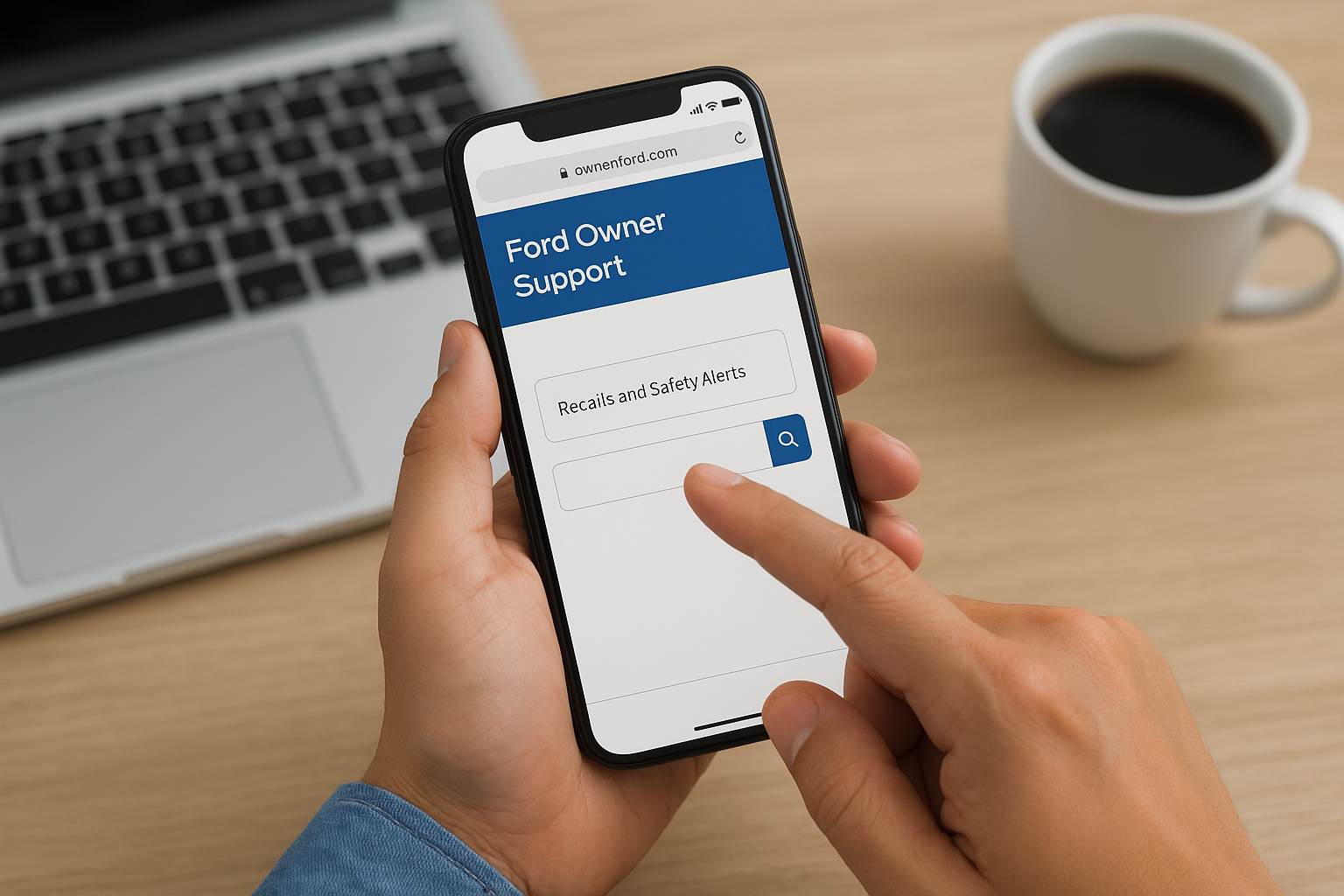
Ford’s portal is the fastest way to confirm whether your specific vehicle is included in a recall, because it checks your VIN against Ford’s own production and repair records rather than relying on a third-party database.
Once you land on the recall lookup page, you will see a text field prompting you to enter your VIN. Type all 17 characters as one unbroken string with no spaces or hyphens, because the tool reads the number exactly as entered and a formatting error returns a no-results page even if recalls exist for your vehicle.
Read and act on the results
After you submit your VIN, the portal returns one of two outcomes. If Ford shows no open recalls, the screen displays a confirmation message and you can move on. If recalls appear, Ford lists each one with a campaign number, a short defect description, and the recommended remedy.
Here is what each field in the results means:
| Field | What It Tells You |
|---|---|
| Campaign number | Ford’s internal tracking code for that specific recall |
| Defect description | Plain-language summary of the affected component and the risk |
| Remedy | The specific repair Ford dealers are authorized to perform |
| Recall status | Whether the fix is available now or parts are still pending |
Screenshot or print this page before you close the browser so you have the campaign number on hand when you call a dealer to schedule the free repair.
Step 3. Check recalls on NHTSA
The National Highway Traffic Safety Administration maintains an independent recall database at nhtsa.gov/recalls that covers every federally reported vehicle recall in the United States. Running a ford recall lookup through NHTSA gives you a second, government-sourced confirmation that stands completely separate from Ford’s own records. Using both databases together is the safest approach, because NHTSA sometimes shows recall campaign details and timelines that the Ford portal does not surface in the same level of detail.
Navigate to NHTSA’s recall database
Go to nhtsa.gov/recalls directly in your browser. The page loads a simple search form with a VIN field at the top, and NHTSA’s tool works on any mobile browser without requiring an account or login. Enter your full 17-character VIN as a single unbroken string and click the search button.
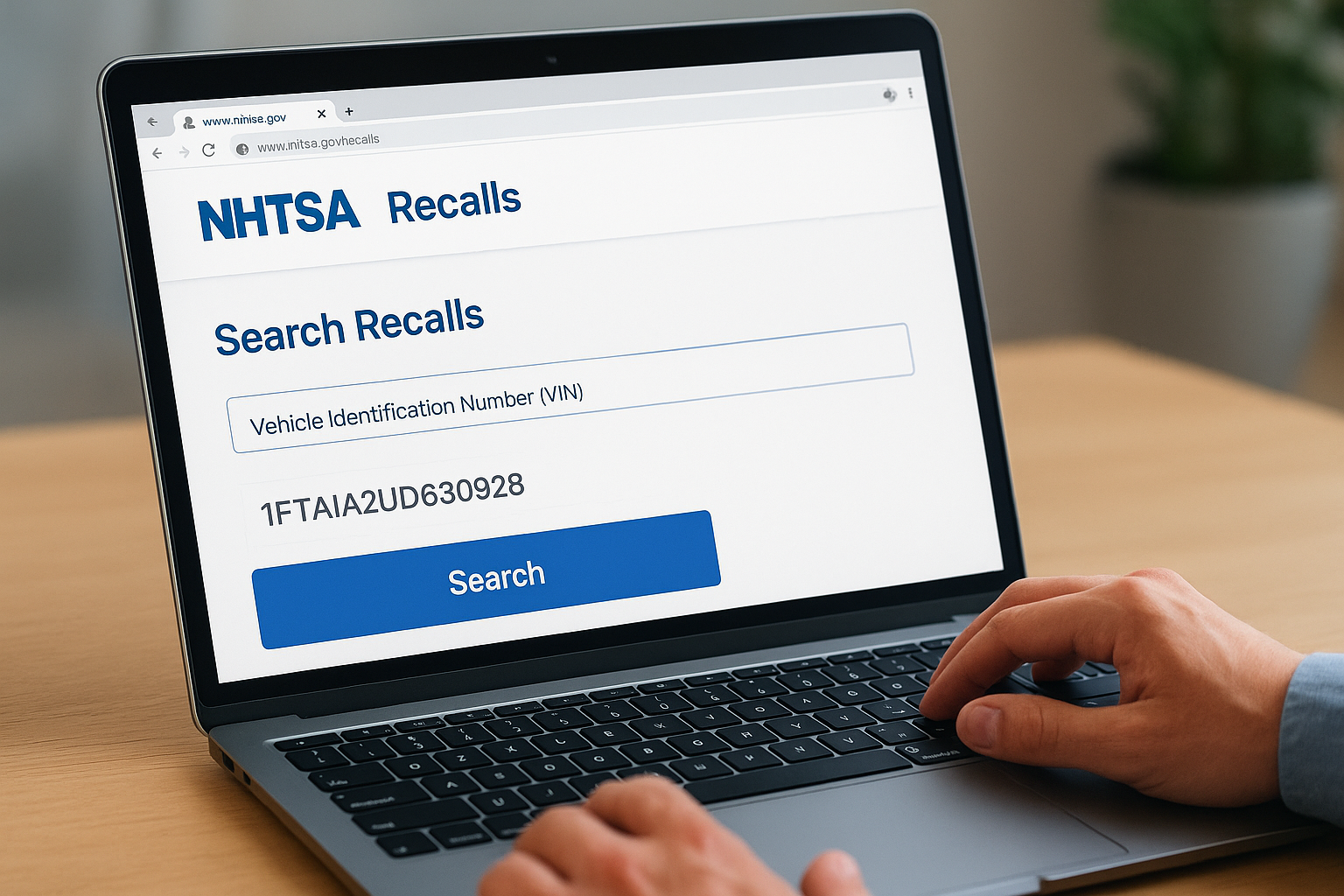
NHTSA’s database is the federal record of truth for vehicle recalls. If a recall appears here but not on the Ford portal, treat it as active until a dealer confirms otherwise.
NHTSA also lets you search by year, make, and model if your VIN is unavailable. That method shows all recalls ever issued for that vehicle line rather than your specific unit, so it’s useful for research but not for confirming whether your individual car is included or already repaired.
Read NHTSA recall results
NHTSA organizes each recall result into clearly labeled fields. The recall number, defect summary, and consequence description appear at the top of each entry, followed by the remedy section that explains exactly what a dealer will do to fix the problem. Pay close attention to the consequence field, because it tells you the real-world risk of driving the vehicle before the repair is completed.
Below the remedy description, NHTSA lists the owner actions section, which tells you whether the fix is currently available and how to contact the manufacturer. If NHTSA shows a recall but marks the remedy as pending, parts are still in production and your dealer cannot complete the repair yet. In that case, note the campaign number and call your dealer to get on a waiting list so they notify you the moment parts arrive.
| NHTSA Result Field | What to Do With It |
|---|---|
| Recall number | Record this for your dealer appointment |
| Defect summary | Understand what component is at risk |
| Consequence | Assess how urgent the repair is |
| Remedy | Confirm what the dealer will fix |
| Owner actions | Follow up on parts availability |
Step 4. Use the Ford app to spot open recalls
The FordPass app gives you a mobile alternative to browser-based recall searches, and it integrates directly with your vehicle’s profile so you can check for open recalls in seconds. Running a ford recall lookup through the app is particularly useful when you’re away from a computer, because the tool surfaces recall alerts alongside your vehicle’s service history and fuel or charge status in a single dashboard. The app is free to download and available for both iOS and Android devices through their respective official app stores.
Download and set up the FordPass app
Search for “FordPass” in the Apple App Store or Google Play Store and install the official app published by Ford Motor Company. Once installed, open the app and create a free account using your email address. After logging in, the app prompts you to add a vehicle to your garage by entering your VIN or by scanning the VIN barcode that appears on your dashboard plate or door jamb sticker. Adding your vehicle takes under two minutes and links your specific unit to your account so every check from that point forward pulls data tied to your exact car or truck.
Adding your VIN to FordPass is the step most people skip, and it’s the reason the app can tell you whether a recall applies to your vehicle specifically rather than just your model year.
Check for recalls inside the app
Once your vehicle appears in the FordPass garage, tap the vehicle card to open its details screen. Look for the “Recalls” or “Notifications” section within that screen, which lists any open safety recalls Ford has associated with your VIN. The app displays the same campaign numbers and defect descriptions you would see on the owner portal, but you can also tap directly through to find participating dealers and initiate a service appointment without leaving the app.
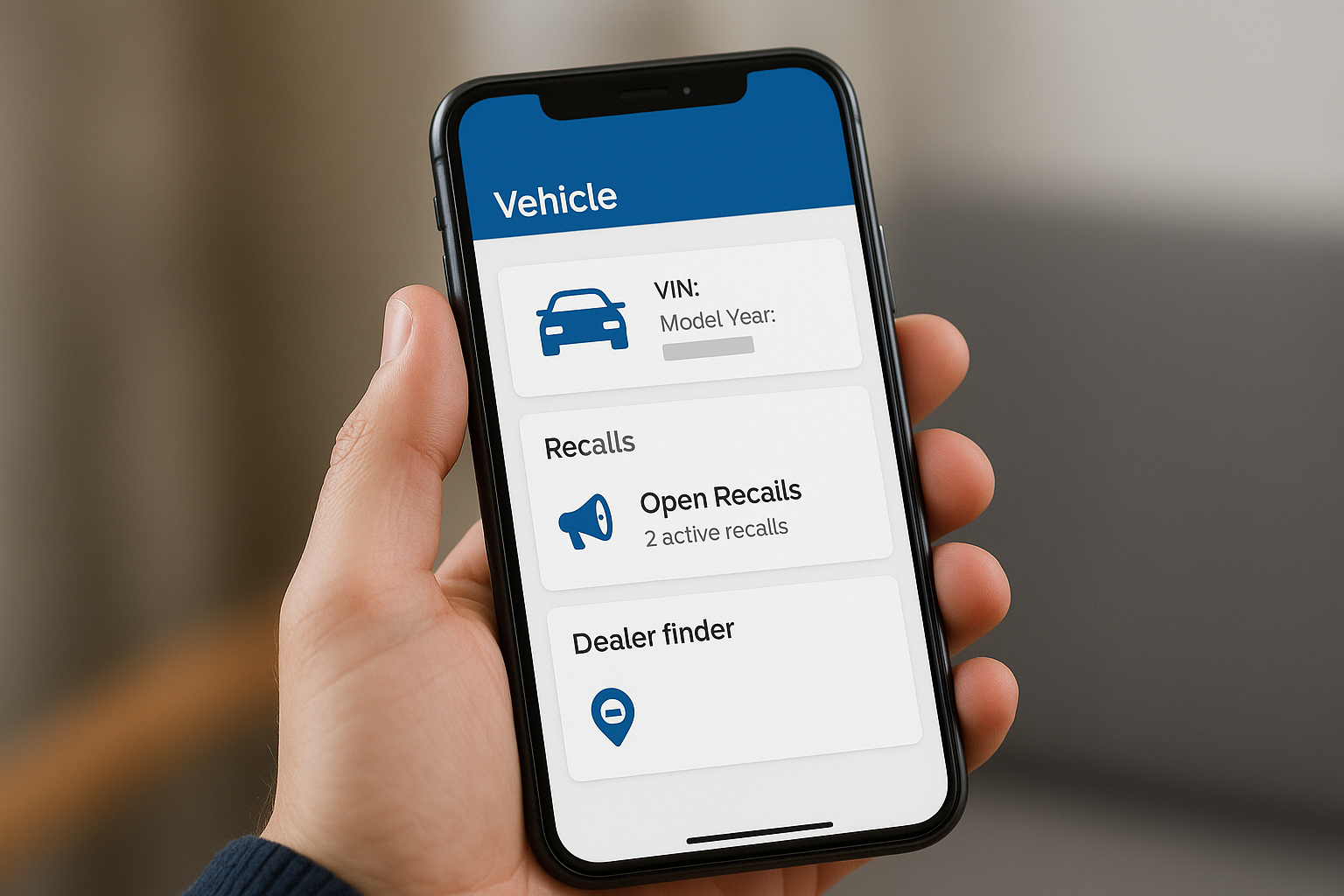
Here is what each app section shows you at a glance:
| App Section | What It Displays |
|---|---|
| Vehicle summary | VIN, model year, mileage sync |
| Recalls | Open campaign numbers and defect descriptions |
| Dealer finder | Nearby Ford dealers with recall repair capability |
| Notifications | Push alerts when Ford issues a new recall for your vehicle |
Enable push notifications in your phone’s settings after setup so the app alerts you automatically the moment Ford files a new recall campaign that covers your vehicle.
Step 5. Read the recall details like a pro
Once your ford recall lookup returns results, you need to extract the right information from each recall entry so you can take the correct next step. Recall pages pack a lot of technical language into a small amount of space, and skimming past the wrong field can cause you to miss critical safety information or show up at a dealer without the details you need to book the correct repair.
Decode the defect description
The defect description is where Ford and NHTSA explain exactly what component failed, why it failed, and under what conditions it poses a risk to the driver or passengers. Read this section word for word rather than skipping to the remedy, because the description tells you whether the risk applies to normal driving conditions or only under specific circumstances like extreme heat or highway speeds.
The consequence field directly below the defect description tells you what can happen if you keep driving the vehicle before the repair is completed, and that single sentence should drive your decision on how urgently to schedule the fix.
Pay attention to these specific fields in the recall entry:
| Field | What to Extract |
|---|---|
| Defect description | The exact component at fault and the failure mode |
| Consequence | The real-world outcome if the defect triggers while driving |
| Affected vehicles | The production date range that confirms your build date falls within scope |
| Recall campaign number | The code your dealer needs to pull the correct parts and repair procedure |
Check the remedy and parts status
The remedy section tells you exactly what a Ford dealer will do to fix the defect, whether that means replacing a component, applying a software update, or installing a reinforcing bracket. This matters because not all recall repairs require the same appointment length, and knowing the remedy in advance lets you plan your schedule accurately.
Parts availability determines how quickly you can get the repair done. If the remedy status shows “remedy available,” parts are in stock at dealers now. If the status shows “remedy pending” or “remedy under development,” Ford is still engineering the fix or producing parts, and you will need to monitor the campaign number until the status changes before booking an appointment.
Step 6. Book the free recall repair with a dealer
Once your ford recall lookup confirms an open recall on your vehicle, the repair itself costs you nothing. Federal law requires manufacturers to fix safety recalls at no charge to the vehicle owner, and any authorized Ford dealer is equipped to perform the work. You do not need to return to the original selling dealer; any franchised Ford dealership in the country can complete the repair using your recall campaign number.
Find a participating Ford dealer
Your first step is identifying a nearby dealer that handles recall repairs. The FordPass app and the Ford Owner portal both include a dealer finder tool that filters for service centers near your zip code. Enter your location, confirm the dealer offers recall services, and note their service department phone number before you call.
Use this checklist when evaluating a dealer option:
- Dealer is an authorized Ford franchise (not an independent shop)
- Service department hours fit your schedule
- Dealer confirms they have the campaign number in their system
- Parts are in stock for your specific recall
Calling ahead to confirm parts availability saves you a wasted trip; some high-volume recalls experience regional parts shortages that delay appointments by days or weeks.
Call to confirm parts and schedule the appointment
When you call the service department, give the advisor your full 17-character VIN and the recall campaign number you pulled from the lookup results. Ask them directly whether parts for your campaign are on hand, because “parts available” on the portal does not always mean that specific dealer has stock at that moment. Most service advisors can check inventory in under two minutes while you stay on the line.
Once parts are confirmed, book the earliest available appointment that fits your schedule. Bring the following items on the day of the repair:
| Item to Bring | Why You Need It |
|---|---|
| Vehicle registration | Confirms ownership to the service advisor |
| Recall campaign number | Lets the tech pull the exact repair procedure |
| Photo ID | Required for most dealer service check-ins |
After the repair is complete, ask the service advisor to provide written documentation showing the campaign number, the repair performed, and the completion date. Keep that document with your vehicle records permanently, because it proves the recall was resolved if you sell the vehicle or face any future dispute related to the defect.
Step 7. Handle common recall lookup problems
A ford recall lookup does not always go smoothly, and a handful of specific issues trip up drivers who would otherwise complete the process in minutes. Knowing what to do when the tool pushes back keeps you from giving up and leaving an open recall unaddressed.
Your VIN returns no results but you suspect a recall exists
Mistyped VINs are the most common cause of empty results, because both Ford’s portal and NHTSA’s database require an exact 17-character match. If you get a no-results page, re-enter the VIN one character at a time and watch closely for commonly confused pairs: the letter “O” versus the number “0,” the letter “I” versus the number “1,” and the letter “Q” versus the number “9.”
If you have verified the VIN twice and still see no results, switch from the portal to the NHTSA database and run the same search there, because the two systems update on different schedules.
If both tools return nothing, try the year-and-model search as a secondary check. That method lists all campaigns issued for your vehicle line and tells you whether any apply to your production date range, even if the VIN-based lookup fails to surface them.
The lookup shows a recall as already completed
A “completed” status means Ford’s system recorded a repair on your VIN, but that record is not always accurate. If you purchased the vehicle used and the previous owner brought it to a dealer for an unrelated service visit, the dealer may have completed the recall repair without informing you. Pull your dealer service history through the Ford Owner portal or request records directly from any Ford service department using your VIN.
If no service record exists and the status still shows completed, contact the Ford Customer Relationship Center at 1-800-392-3673 and ask them to investigate the discrepancy. Have your VIN and the recall campaign number ready before you call so the representative can pull the file immediately.
The remedy status shows “pending”
Some recalls move faster than others, and parts shortages or engineering delays can push remedy availability out by weeks or months. Call your nearest Ford dealer, give them your VIN and campaign number, and ask them to add you to their notification list. Most dealers track pending-remedy customers in their scheduling system and contact you the moment parts arrive, so you do not have to monitor the status manually every week.
Step 8. If a defect caused a crash or injury in California
A ford recall lookup confirms whether your vehicle carried a known defect before a collision, and that information carries serious legal weight if you were injured. California law allows injury victims to pursue compensation from a manufacturer when a defective component contributed to a crash, even if you were unaware of the recall at the time. Negligence and product liability claims are two separate legal paths available to injured California drivers, and both can apply simultaneously depending on the facts of your case.
Understand how recall evidence supports your claim
When your VIN lookup returns an open recall that was never repaired, that record serves as direct evidence that the manufacturer knew about the defect and failed to ensure your vehicle was fixed before it caused harm. California courts treat unrepaired recall records as significant documentation in product liability cases. If a defective airbag, steering component, or brake system contributed to your injuries, the existence of an open recall at the time of the crash strengthens the foundation of your case considerably.
Document everything immediately: photograph the scene, preserve all recall lookup results, and request a written repair history from any Ford dealer before records are altered or lost.
California courts also recognize that manufacturers carry a duty to notify owners and remedy defects within a reasonable time. If Ford’s notification process was slow or inadequate and you suffered injuries before you had a realistic chance to schedule the recall repair, that timeline becomes part of your attorney’s argument against the manufacturer.
What to do right after a defect-related crash
Taking the right steps in the hours following a crash protects both your health and your legal claim. Acting quickly preserves evidence that disappears fast once vehicles are towed, repaired, or transferred to salvage yards.
- Get medical treatment immediately, even if injuries seem minor at first
- Request the police report and note the crash location, date, and time
- Photograph the vehicle interior and exterior before any repairs begin
- Run a recall lookup on your VIN and screenshot or print the results
- Preserve all medical bills, repair estimates, and lost wage documentation
- Contact a California personal injury attorney before speaking with any insurance adjuster
Speak with a California personal injury attorney
Steven M. Sweat, Personal Injury Lawyers, APC has represented defective vehicle injury victims in Los Angeles and throughout California for over 25 years. If an open recall contributed to your crash, your consultation is free, and the firm works on a contingency basis, meaning you pay nothing unless money is recovered for you.
Reaching out early matters because California’s statute of limitations gives most personal injury claimants two years from the date of the crash to file a lawsuit. Waiting too long to contact an attorney can cost you the right to recover compensation entirely, regardless of how strong your underlying claim is.
Next steps to protect yourself
Running a ford recall lookup is a two-minute task that can prevent a life-altering crash. Start by locating your VIN, then check both the Ford Owner portal and NHTSA’s database so you have two independent confirmations of your recall status. Download the FordPass app and enable push notifications so Ford alerts you the moment a new campaign covers your vehicle, and schedule the free dealer repair as soon as parts are available.
Keep written proof of every completed recall repair in your glove box alongside your registration. That documentation protects you if a defect dispute ever arises when you sell the vehicle or file an insurance claim. If you were already injured in a crash linked to a recalled defect, time matters under California law. Contact Steven M. Sweat, Personal Injury Lawyers, APC today for a free consultation and find out what compensation you may be entitled to recover.